 Sound Safari
IEP goals that track themselves.
Pick a goal from the built-in bank — or write your own — set a baseline and target, and the sessions and probes you already run fill in the chart.
 14-day free trial · Cancel anytime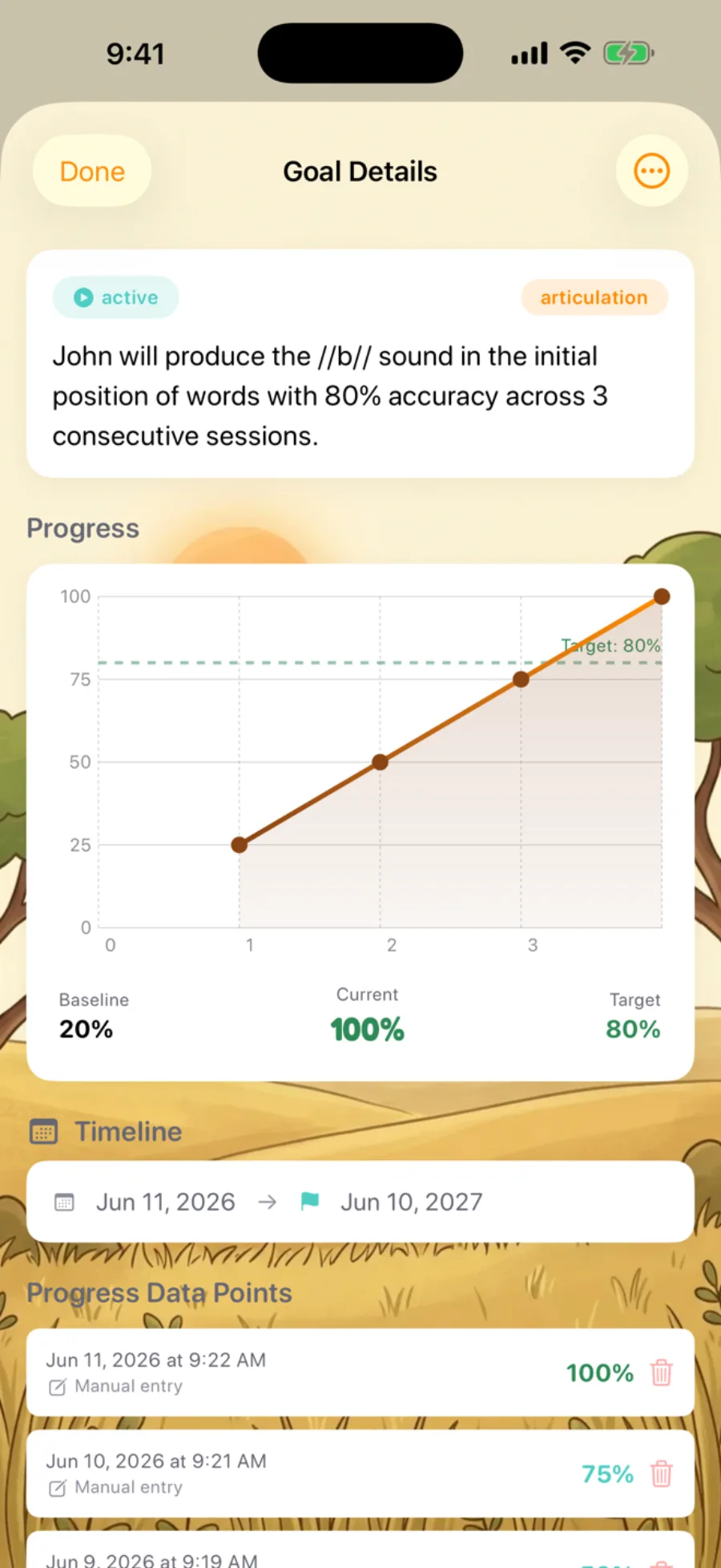
The goal is measurable. The tracking shouldn't be manual.
SMART wording from scratch
Start from 22 clinician-written templates.
Re-typing percentages in three places
Sessions and probes fill the chart for you.
"On track?" becomes a memory exercise instead of a data question
Every number traces to a real session or probe.
An IEP goal bank for the whole speech caseload
Sound Safari ships with 22 clinician-written IEP goal templates across all 8 SLP goal categories — not an articulation-only tool bolted onto a practice app. Browse by category or search by keyword.
None fit? Write a fully custom goal — the editor prompts you through the SMART framework and saves it as a reusable template. Need inspiration first? See 50+ SMART IEP goal examples by sound.
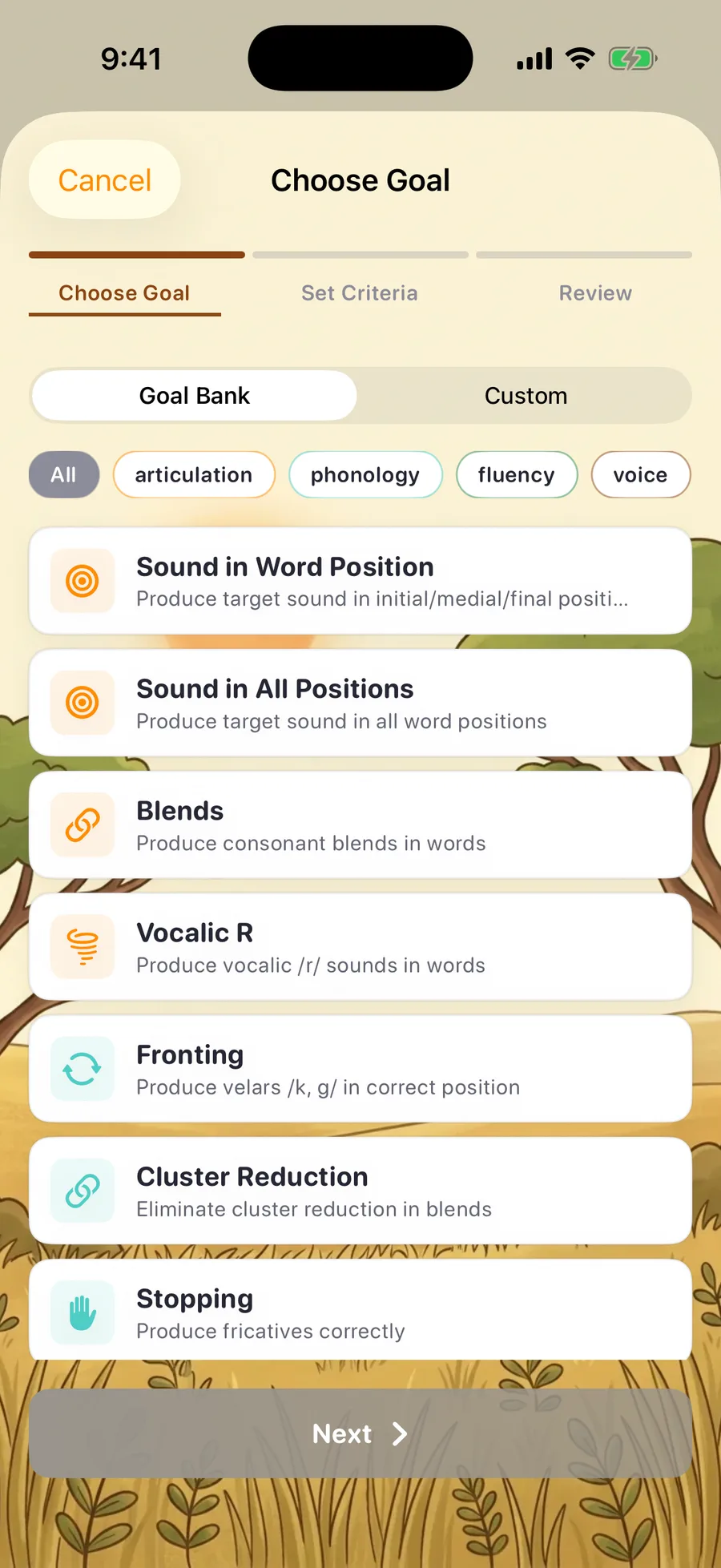
Articulation
4Sound in Word Position, Sound in All Positions, Blends, Vocalic R
Phonology
4Fronting, Cluster Reduction, Stopping, Gliding
Fluency
2Fluency Strategies, Self-Monitoring
Voice
1Vocal Volume
Receptive Language
2Following Directions, Answering Questions
Expressive Language
4Vocabulary, Grammar, Sentence Structure, Narratives
Pragmatic Language
2Topic Maintenance, Conversational Skills
Phonological Awareness
3Rhyming, Segmenting, Blending
Attach a goal — progress monitoring takes care of itself
No spreadsheet, no re-typing — every number on the chart traces back to a real session or probe.
Baselines that pull from your probe data
Already ran a probe for that sound and position? Sound Safari auto-fills the goal's starting accuracy and date from your most recent match, flagged "From Probe Data" — and you can still override it by hand.
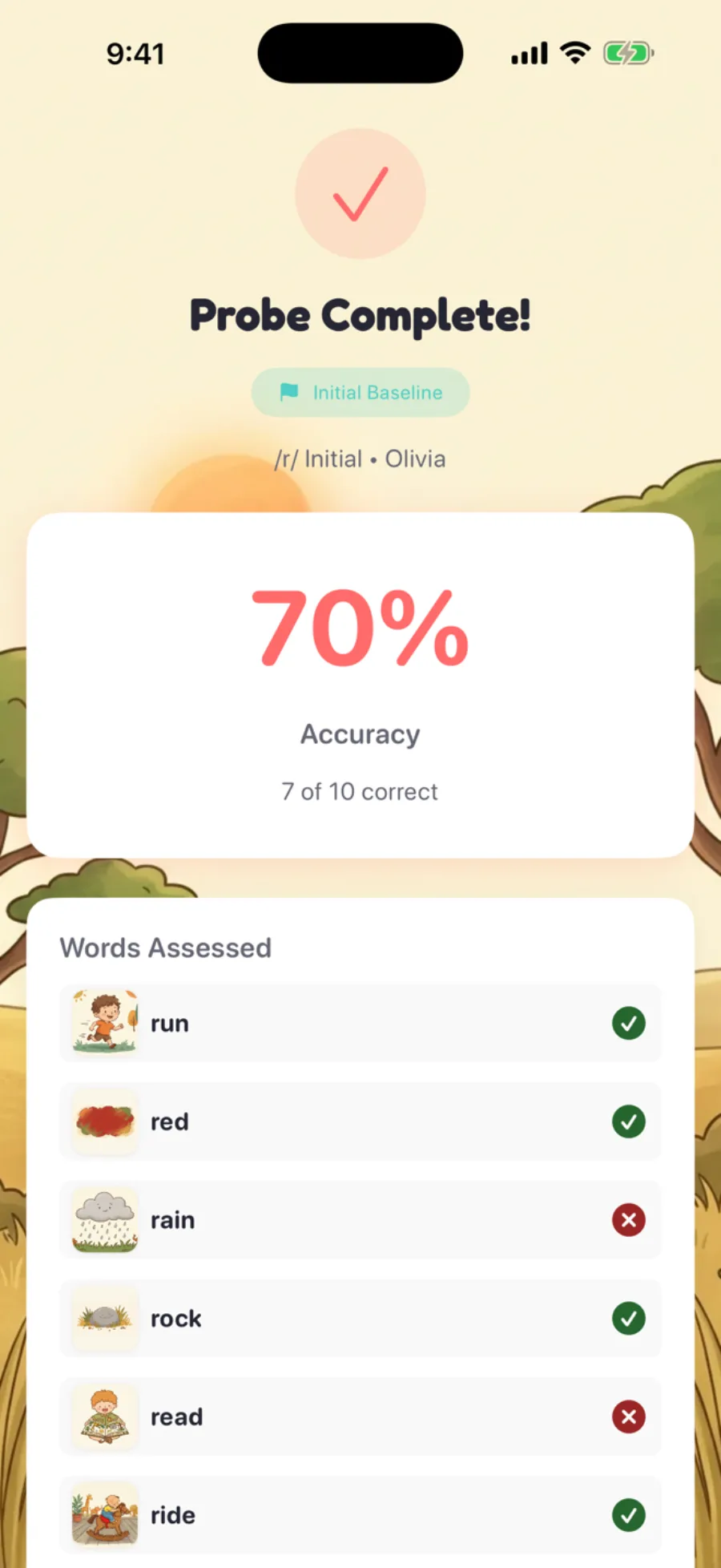
Score a session, get a data point
Every scored session or probe matching an active goal becomes a dated progress point automatically — re-score later and the goal updates to match.
One chart, the whole story
Baseline, a dashed target line, and a trend line once there's data. Tap any point to jump to the exact session or probe it came from — so you can explain any number an IEP team asks about.
You set the status, backed by data
Draft, Active, Progressing, Not Progressing, Mastered, On Hold, or Discontinued — you pick it from the goal detail screen. It's decision support, not an automated verdict.
Cue it exactly how the IEP reads
Goal specifies "without cues"? A per-goal Visual Cue toggle turns off the orange target-sound highlight — honored across practice screens and the parent homework portal.
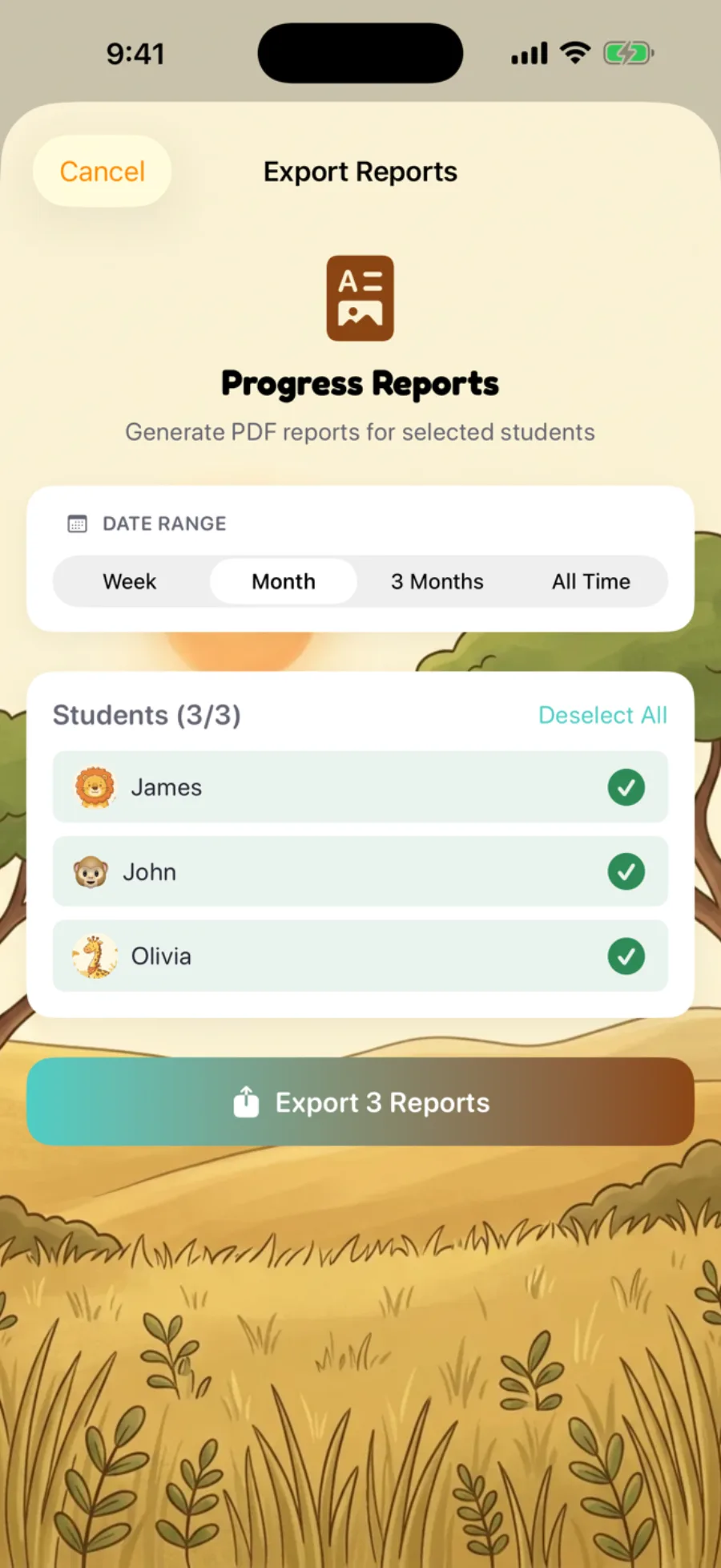
Bring it to the IEP meeting
When it's IEP time, bulk-export PDF progress reports for selected students, or export your goals as a CSV — de-identified if you choose.
On-device AI suggests the values — you approve the goal.
On devices with Apple Intelligence, tap "Suggest from Recent Data" and Sound Safari proposes values for sound, position, level, accuracy, and prompting cues — grounded in the student's recent probe accuracy, screening recommendation, session trend, and age band. Real data, never invented. Nothing saves until you review and confirm it.
Runs entirely on-device — no data leaves the device for this feature
Never sees the student's name or date of birth, only clinical data and a coarse age band
Only in therapist mode, on devices with Apple Intelligence support (requires iOS 26)
Less re-typing, more therapy.
14-day free trial · Cancel anytime
Fill in the blanks, not the whole goal
Pick a template and Sound Safari renders it as a live sentence built from tappable, color-coded pills. In the app each pill opens its own picker — a sound grid, a position selector, an accuracy slider — so you're never typing goal boilerplate from memory. The student's name auto-fills from their profile and stays locked. Try it now — tap the colored pills in the example to swap the sound, position, and target accuracy.
Given a verbal prompt, Student will produce in the position of words with accuracy across consecutive sessions.
A simplified version of the real goal editor — in the app, pills also cover practice level and prompting level.
How it works
Open a student's profile and go to Goals. Every attached goal lives here alongside their sessions and probes.
Choose a goal. Browse the 22 templates by category, or switch to Custom and write your own.
Set your criteria and review. Baseline (auto-filled from probe data when available), target accuracy, consecutive sessions, prompting and visual-cue settings, and a timeline that defaults to 52 weeks out.
Practice and probe as usual. Matching sessions and probes add progress points automatically; open the goal any time to see the chart move and update its status.
Why it's different
| Capability | Spreadsheet or paper | Typical practice app* | Sound Safari |
|---|---|---|---|
| Pre-written SMART-style goal templates | No | Rare or none | 22 across 8 categories |
| Baselines auto-filled from probe data | No | Rare | check_circle |
| Progress auto-linked from sessions & probes | No — manual | Rare | check_circle |
| Progress chart with trend + status tracking | Manual charts | Varies | check_circle |
| On-device AI goal-value suggestions | No | No | Yes, with Apple Intelligence |
*A general market characterization, not an audited feature-by-feature comparison — some competitors (Smarty Ears, for example) offer their own goal-bank features. See our Articulation Station and Smarty Ears breakdowns for verified specifics.
Frequently asked questions
Does Sound Safari write my IEP goals for me?
No. The Goal Bank gives you a starting point — a template or SMART-goal prompt — and, on Apple Intelligence devices, AI-suggested numbers. You choose, edit, and approve every goal before it saves; you remain the goal's author and clinician of record.
Are the goal templates IDEA-compliant or legally defensible?
No — Sound Safari doesn't guarantee legal or regulatory compliance, and it doesn't determine IEP eligibility. The templates are written to SMART-goal structure, which supports writing a measurable goal, but compliance with IDEA and your district's requirements remains the responsibility of the IEP team.
What makes an IEP goal SMART?
A SMART IEP goal is Specific, Measurable, Achievable, Relevant, and Time-bound: it names the skill, the accuracy criterion, the level of support, and when it will be measured. For example: "Given a verbal prompt, the student will produce /r/ in the initial position of words with 80% accuracy across 3 consecutive sessions."
How many IEP goal templates does Sound Safari include?
22 built-in templates across all 8 SLP goal categories (articulation, phonology, fluency, voice, receptive language, expressive language, pragmatic language, and phonological awareness), plus unlimited custom goals and templates you write yourself.
Is the IEP Goal Bank free?
It's included with Sound Safari Pro. If your Pro subscription lapses, goals you've already created stay editable, but creating new goals or browsing the full Goal Bank requires an active Pro plan. See what's included on our pricing page.
Is my clinical and student data private?
Yes. No third party ever receives your clinical or student data. No ads, no behavioral tracking, no data brokers. One caveat: Sound Safari is not HIPAA compliant and doesn't offer a Business Associate Agreement, so we recommend using student initials rather than full names.
Explore the full clinical workflow
IEP goals are one piece — Sound Safari handles screening and documentation too.
Articulation screener
A built-in 24-sound screen with developmental norms — identify targets in 12–16 minutes.
See the screenerSOAP notes
Auto-generated from the session you just ran, with on-device AI drafting and a PDF export.
See SOAP notesThe whole toolkit
Probes, group sessions, error-pattern detection, and unlimited students — everything for SLPs.
For ProfessionalsSound Safari is a screening and clinical-support tool — not a diagnostic or medical device.
Try Sound Safari free for 14 days
Tap on iPhone or iPad