 Sound Safari
Every clinical tool an SLP needs — in one app
On-device AI SOAP notes, a built-in articulation screener, and an IEP goal bank across 8 categories. Sound Safari handles the full clinical workflow so you can focus on your students.
 14-day free trial · Cancel anytime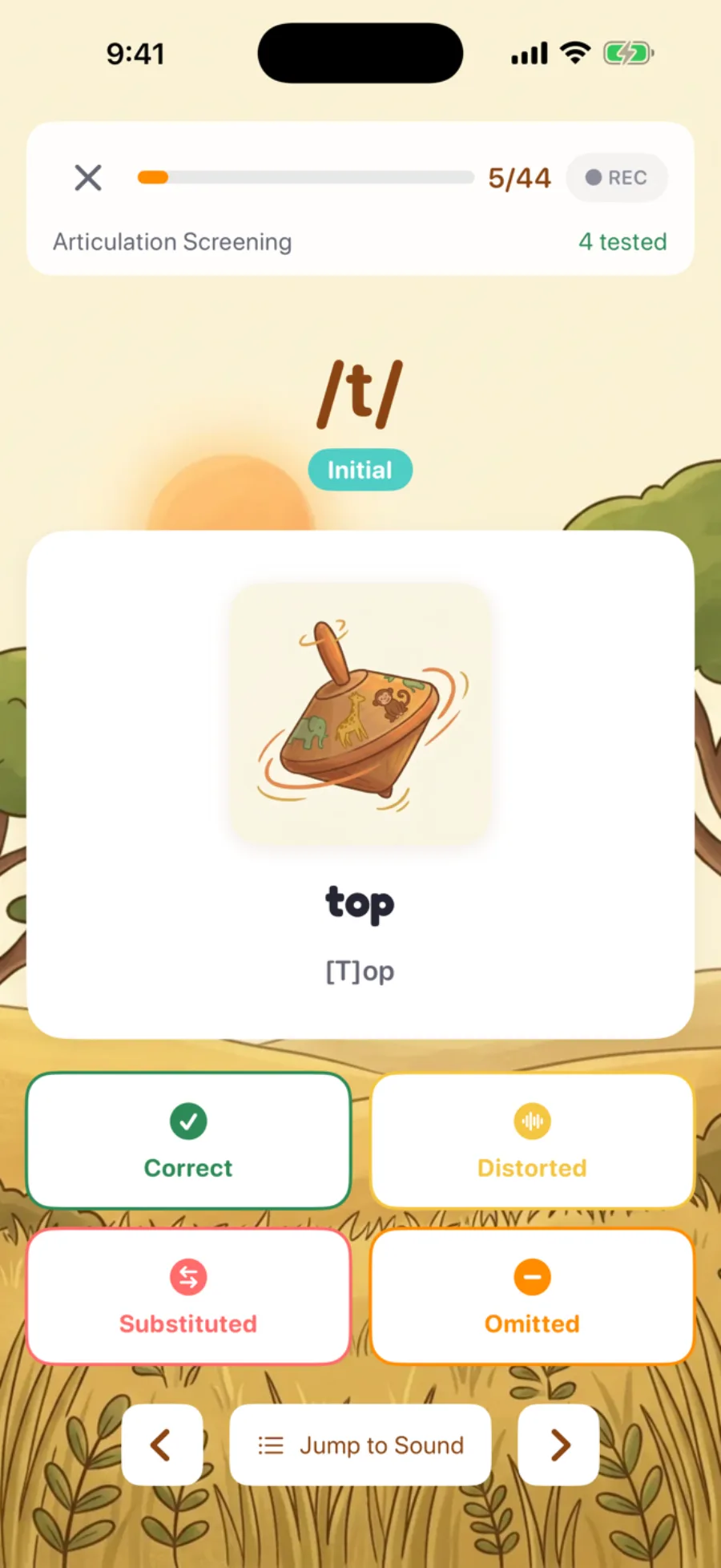
You became an SLP to help kids talk — not to wrestle paperwork
Sound Safari takes the busywork off your plate so you can stay present with your students. Here's what we kept hearing — and what we did about it.
Documentation eats your evenings
SOAP notes, progress reports, session logs — the writing follows you home long after the last student leaves.
Drafted on-device from the session you just ran.
Your toolkit is five apps deep
Practice in one, screening in another, goals somewhere else, parent updates in your inbox — and things slip through the gaps.
One app does all of it — nothing falls through the cracks.
Home practice never happens
Worksheets vanish into backpacks, carryover stalls, and you're starting over every week.
A homework link parents actually open — results sync back to you.
An on-device AI assistant for the parts that take longest
The AI runs entirely on your iPhone or iPad — session data never leaves the device, no cloud, no third-party servers. It drafts the paperwork in seconds, and you edit everything before it's saved or exported.
For example — a SOAP note in three taps
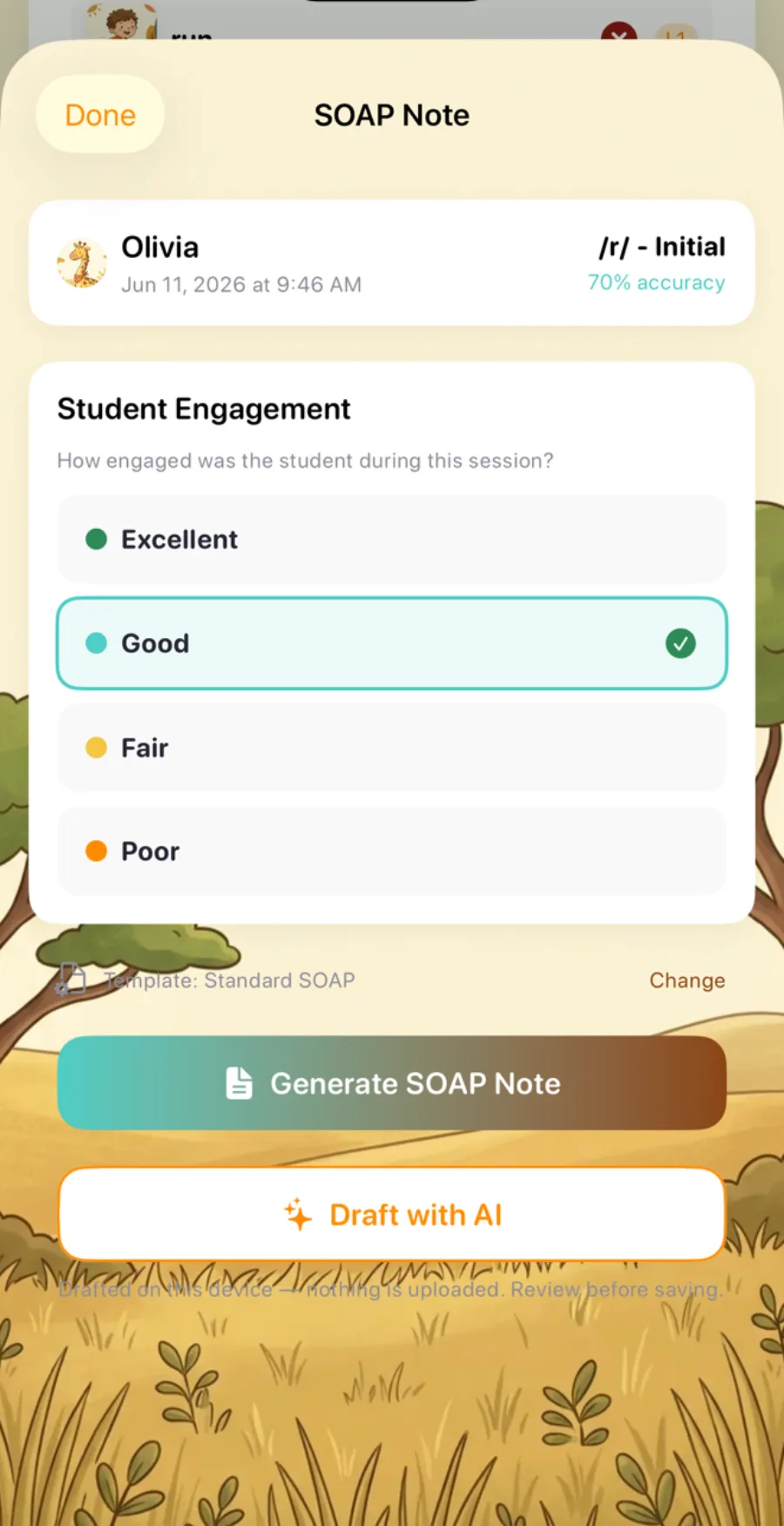
Tap "Draft with AI"
From any completed session — the data's already there.
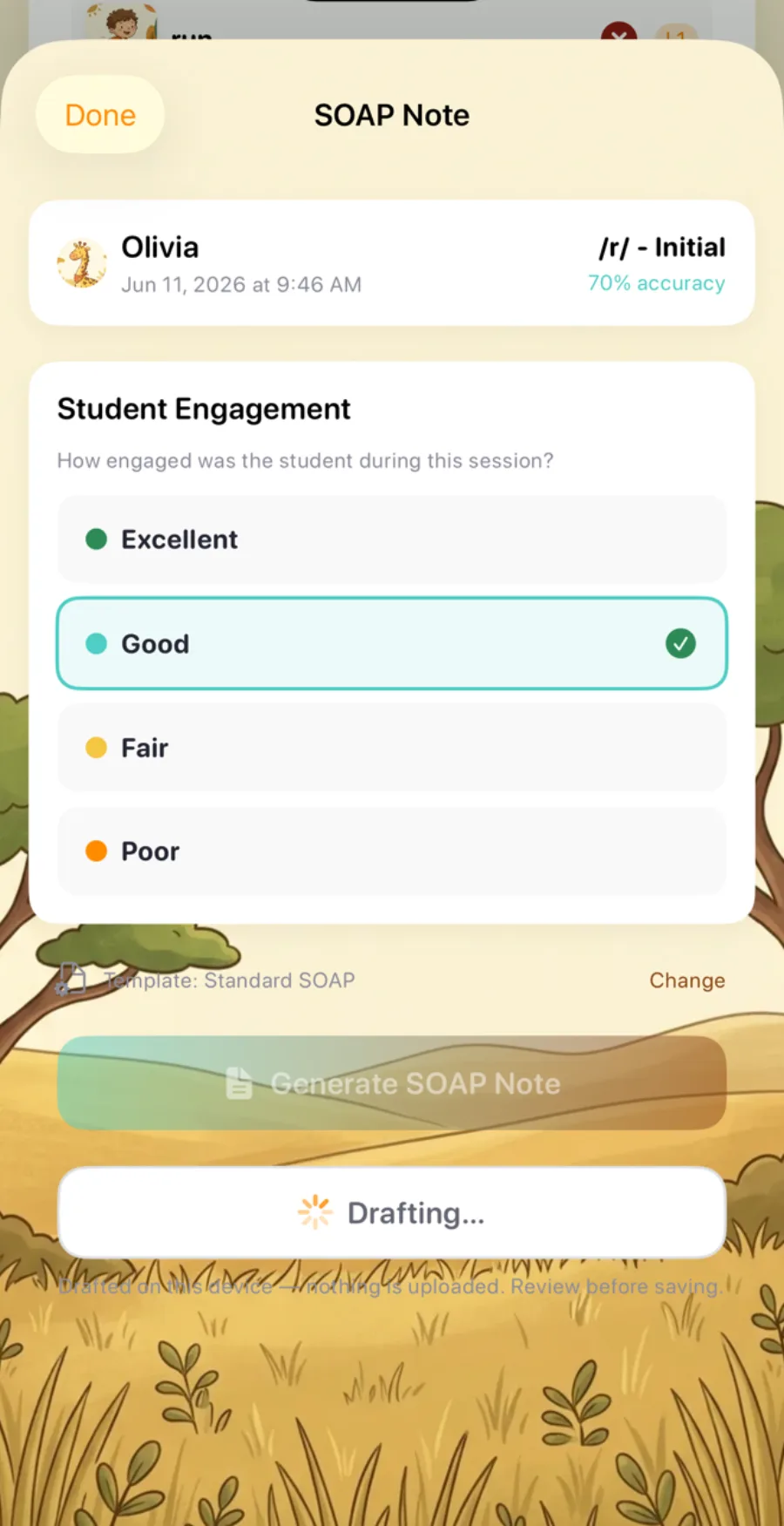
It writes on-device
Subjective, Objective, Assessment, Plan — generated on the phone in seconds.
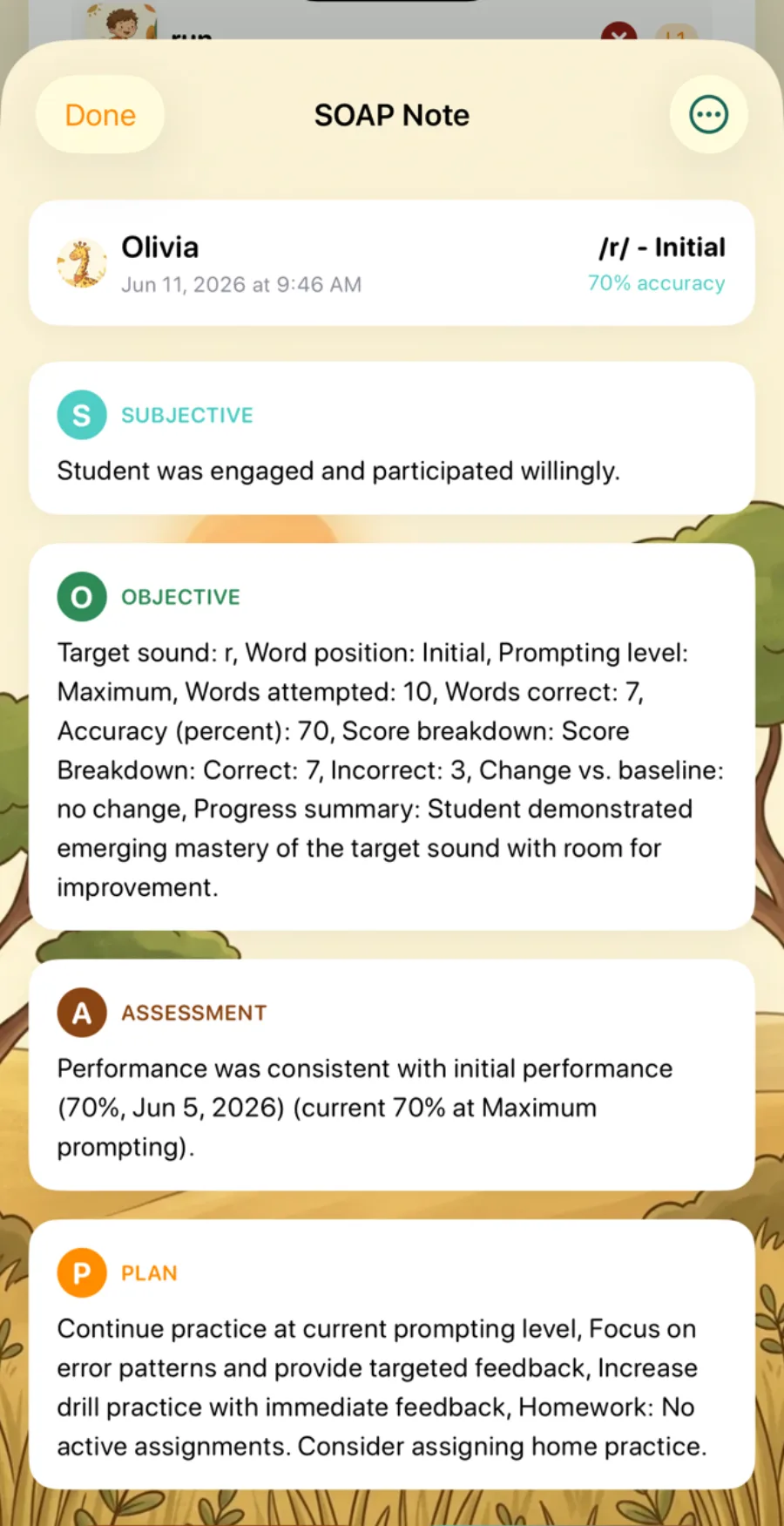
Edit, then export
Review, tweak, and export to PDF. You're always the clinician of record.
…and it drafts more than notes
SOAP notes
S/O/A/P drawn straight from your session data.
IEP goal suggestions
SMART-goal values from recent probes and sessions.
Parent updates
A warm or brief progress note to send home.
Report summaries
The narrative paragraph on a PDF progress report.
Nothing leaves the device, prompts never include a child's name or date of birth, and you stay the author of every draft. Requires a device with Apple Intelligence on iOS 26.
Your whole clinical workflow, in one app
Built for the realities of a full caseload.
Built-in articulation screener
A 24-sound screen across Initial, Medial, and Final positions, with selectable developmental norms (Crowe & McLeod 2020 or Iowa-Nebraska). Automatic error-pattern detection and a PDF report in about 12–16 minutes.
Learn more about the screener arrow_forward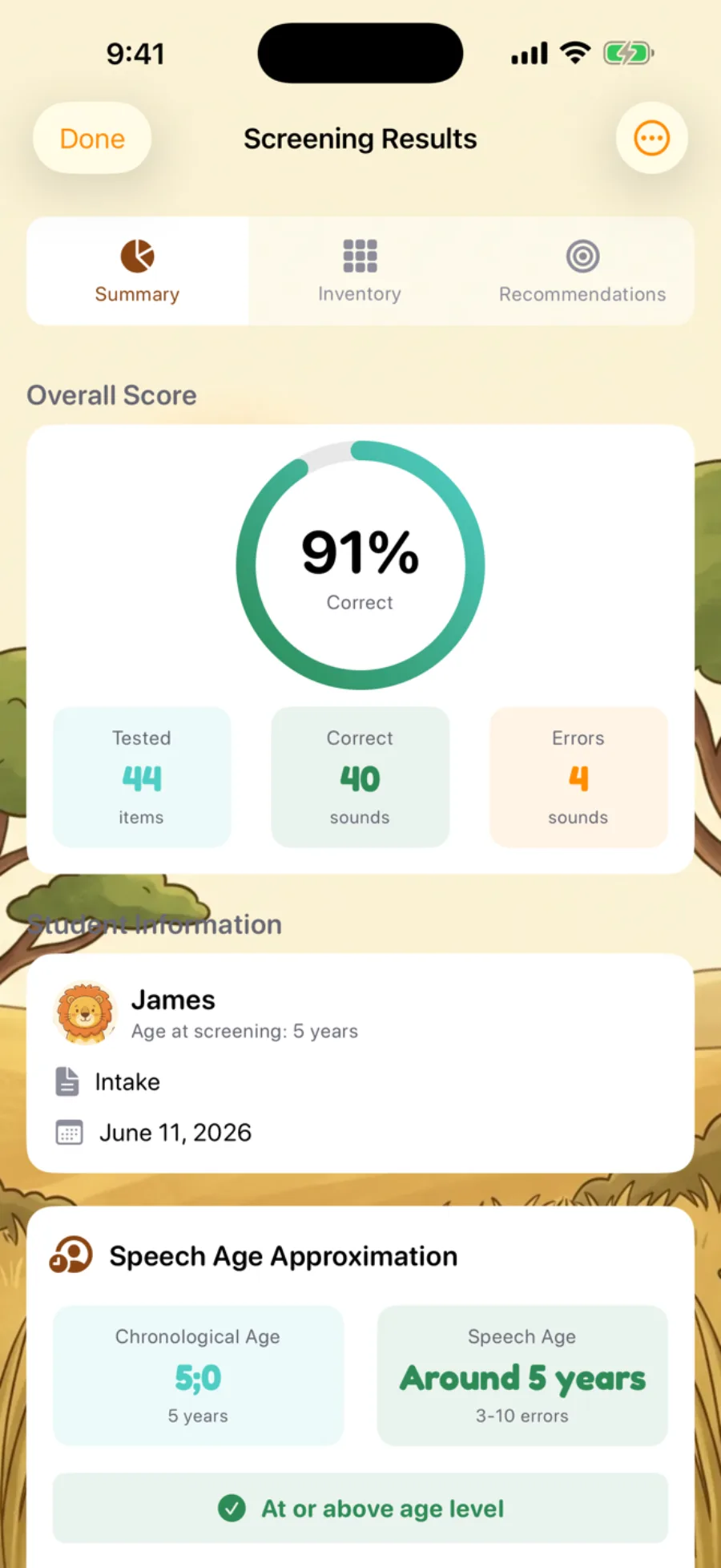
Unlimited students
No per-seat fees. Manage your full caseload — bulk-import up to 50 at once.
Probes & baselines
Measure an unprompted, cue-free baseline separate from practice — then watch the gain over time.
Error pattern detection
Fronting, stopping, cluster reduction — phonological processes flagged automatically, with intervention suggestions.
PDF progress reports
Accuracy charts, goal progress, and session history — bulk-export for IEP meetings.
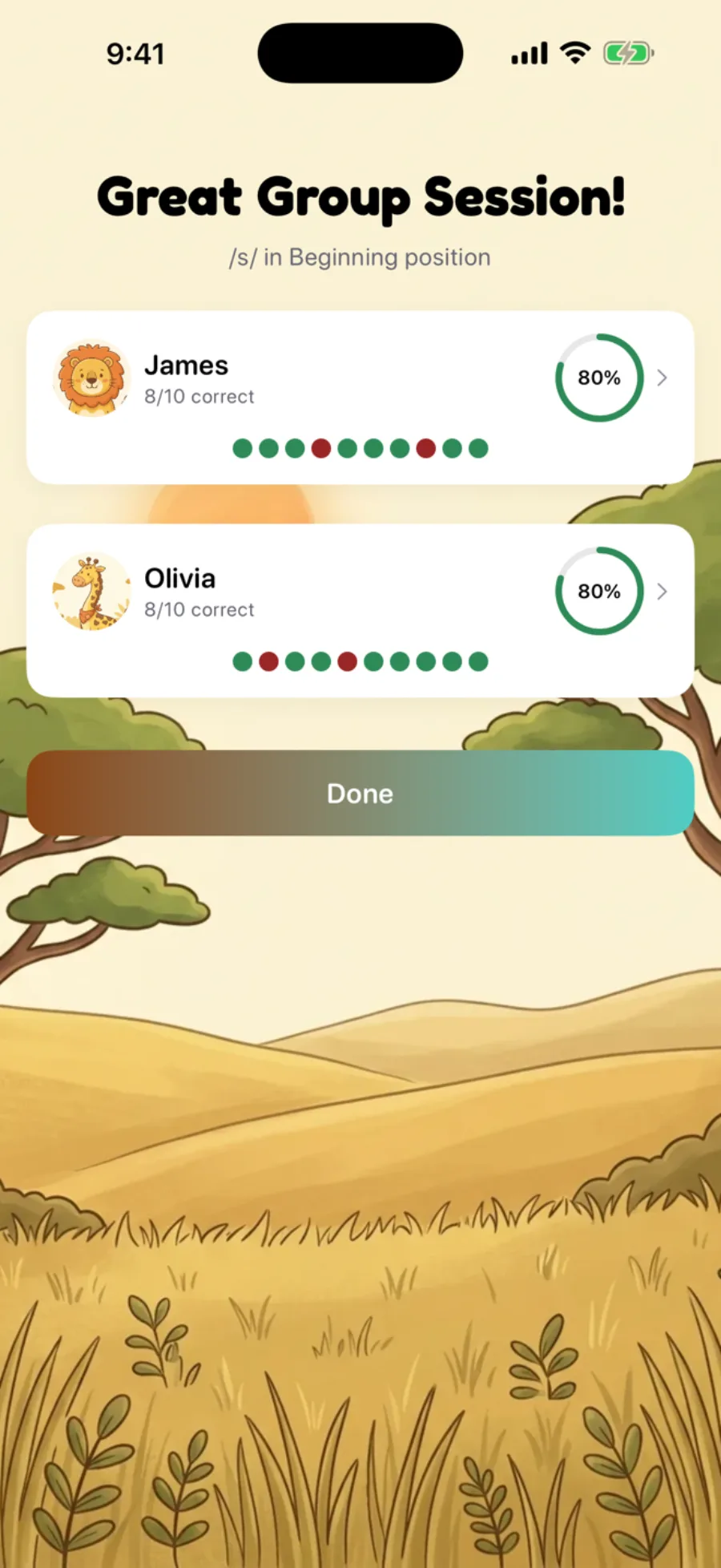
Run group sessions
Practice 2+ students in one session with individual scoring and tracking for each — every student's accuracy at a glance, and individual progress that carries over to their own charts.
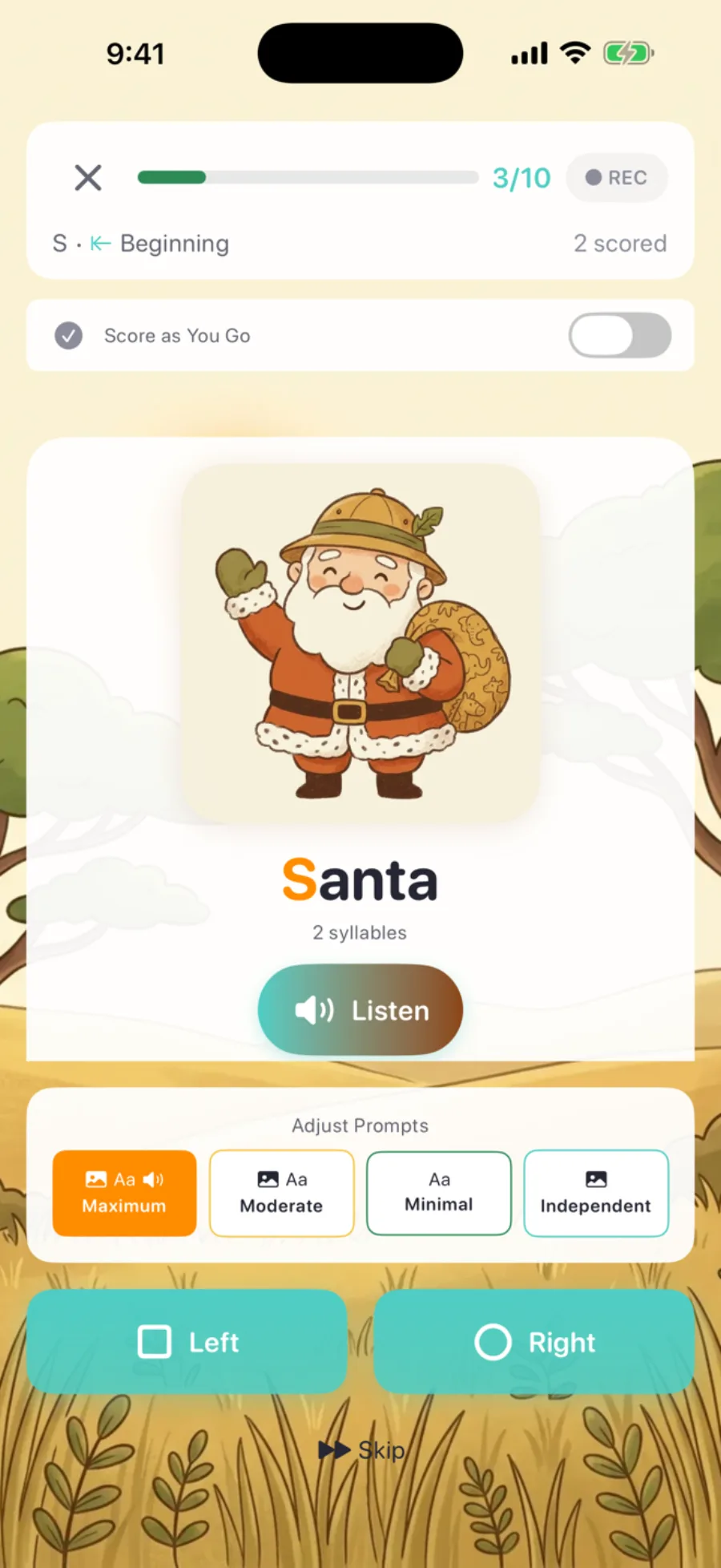
Score a session the way you actually run it
Every clinician runs a session differently. Switch how you score per session — or per student — without missing a beat.
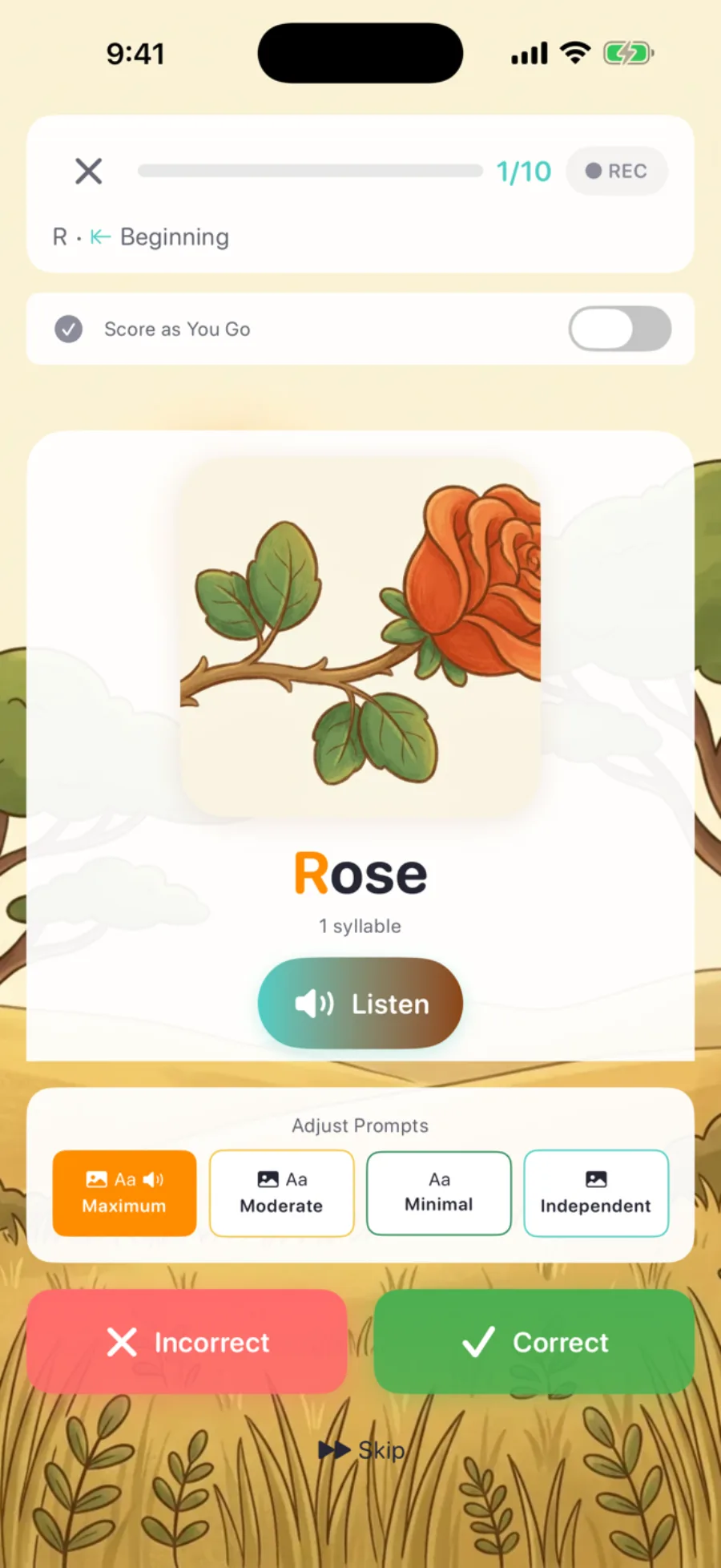
Score as you go
DefaultTap correct or incorrect on each word, live — fast and familiar when you're scoring in the moment.
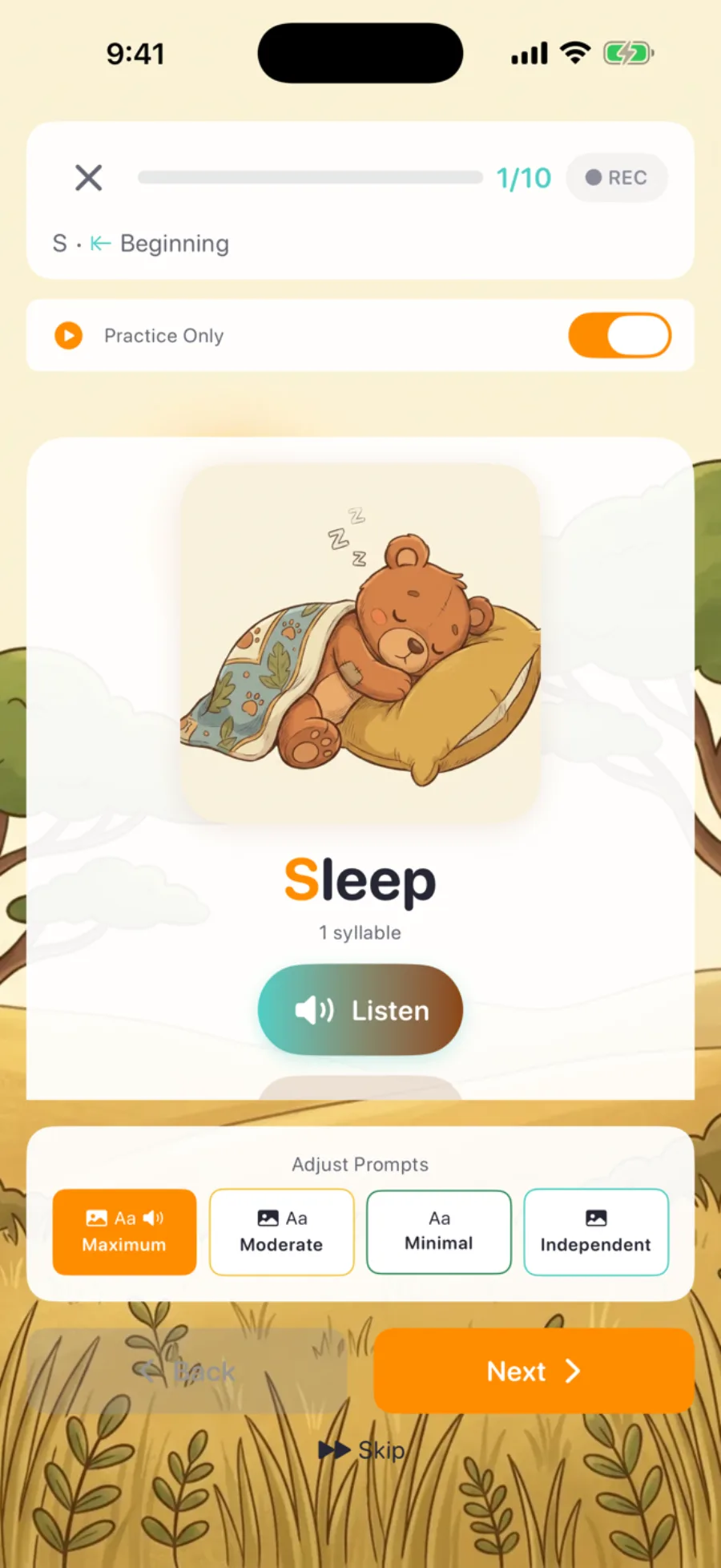
Score later
Run the session uninterrupted, then score from a review screen at the end. Stay present with your student instead of looking down after every word.
Discreet scoring
Hide the scoring entirely — neutral buttons, no celebrations, no visible right or wrong. Pressure-free for anxious kids, and a clean clinical read. Set it per student or globally.
Change the prompting level without restarting
Maximum, Moderate, Minimal, Independent — dial support up or down right in the session header as your student warms up, and it carries into their next session.

Your students' parents get their own app too
Parents practice at home through a web portal — no download needed. Homework completion and results sync back to you automatically.
See the parent experience arrow_forwardHow Sound Safari compares
The only app bundling SOAP notes, a screener, IEP goals, and error-pattern detection — for less.
| Feature | Sound Safari | Articulation Station | Smarty Ears | Word Vault | Ultimate SLP |
|---|---|---|---|---|---|
| Auto-generated SOAP notes | check_circle | — | AI reports only | — | — |
| On-device AI (no cloud) | check_circle | — | — | — | — |
| Built-in articulation screener | check_circle | Separate app | — | — | — |
| IEP goal bank + tracking | check_circle | — | check_circle | — | — |
| Error pattern detection | check_circle | — | — | — | — |
| Audio recording & playback | check_circle | check_circle | — | — | — |
| Parent portal (homework) | check_circle | Data sharing only | check_circle | Email only | — |
| Pro monthly price | $9.99 | $14.99 | $21.99 | $5.99 | $12.95 |
Pro Plan
Billed monthly
Everything in Parent, plus:
- check Unlimited students in your caseload
- check Auto-generated SOAP notes (Standard or Brief templates)
- check Built-in articulation screener with developmental norms
- check IEP goal bank across 8 goal categories
- check Automatic error pattern detection
- check PDF progress reports for IEP meetings
- check Group sessions with per-student tracking
- check Score-later sessions
- check Discreet scoring mode
- check Bulk student import
- check Parent sharing portal for homework
Frequently asked questions
Everything clinicians want to know before they download.
Does Sound Safari have SOAP notes? expand_more
Yes. Sound Safari auto-generates SOAP notes directly from session data. Choose a Standard or Brief template, or create your own custom templates for the notes you write most often. On a device with Apple Intelligence you can also "Draft with AI" — the model runs entirely on-device. Every note is editable before you export it as a PDF.
Is there a built-in articulation screener? expand_more
Yes — a built-in articulation screener covers up to 24 consonant sounds in Initial, Medial, and Final word positions, with automatic error-pattern detection and selectable developmental norms (Crowe & McLeod 2020 or Iowa-Nebraska). A full screening takes about 12–16 minutes, and no separate assessment app or purchase is required — see the articulation screener page for details.
Can I track IEP goals? expand_more
Yes. Sound Safari includes a full IEP goal bank across 8 categories (articulation, phonology, fluency, voice, receptive language, expressive language, pragmatic language, phonological awareness). Goals auto-link to sessions, and progress charts update automatically. Explore the IEP goal bank arrow_forward
How do I share homework with parents? expand_more
You assign a homework packet inside Sound Safari and share it as an HTML file via email or AirDrop. Parents open it on any device — no app download required. Their practice results sync back to your dashboard so you can see who is actually doing the work between sessions.
How does Sound Safari compare to Articulation Station? expand_more
Sound Safari costs 33% less ($9.99 vs $14.99/mo) and includes features Articulation Station does not — auto-generated SOAP notes, a built-in screener, an IEP goal bank, error pattern detection, and on-device AI drafting. Articulation Station has more visual themes and per-response recording. See our full side-by-side comparison for details.
How much does Sound Safari cost? expand_more
Pro (for SLPs) is $9.99/month or $79.99/year. The parent plan is $4.99/month, or $47.99/year ($4/month). Every tier includes a 14-day free trial with full access.
Does Sound Safari work offline? expand_more
Sound Safari runs natively on iOS and iPadOS. Practice sessions, scoring, and SOAP note generation all work without an internet connection. iCloud sync runs in the background when you're online.
Is Sound Safari HIPAA compliant? expand_more
Sound Safari stores all data locally on your device and syncs through your personal iCloud account — no third-party servers, and the on-device AI never transmits session data. We do not currently offer a Business Associate Agreement (BAA). For clinical settings, we recommend using student initials or pseudonyms rather than full names, and enforcing strong device-level security (passcode, Face ID, device encryption). See our privacy policy for full details.
Try Sound Safari free for 14 days
Tap on iPhone or iPad